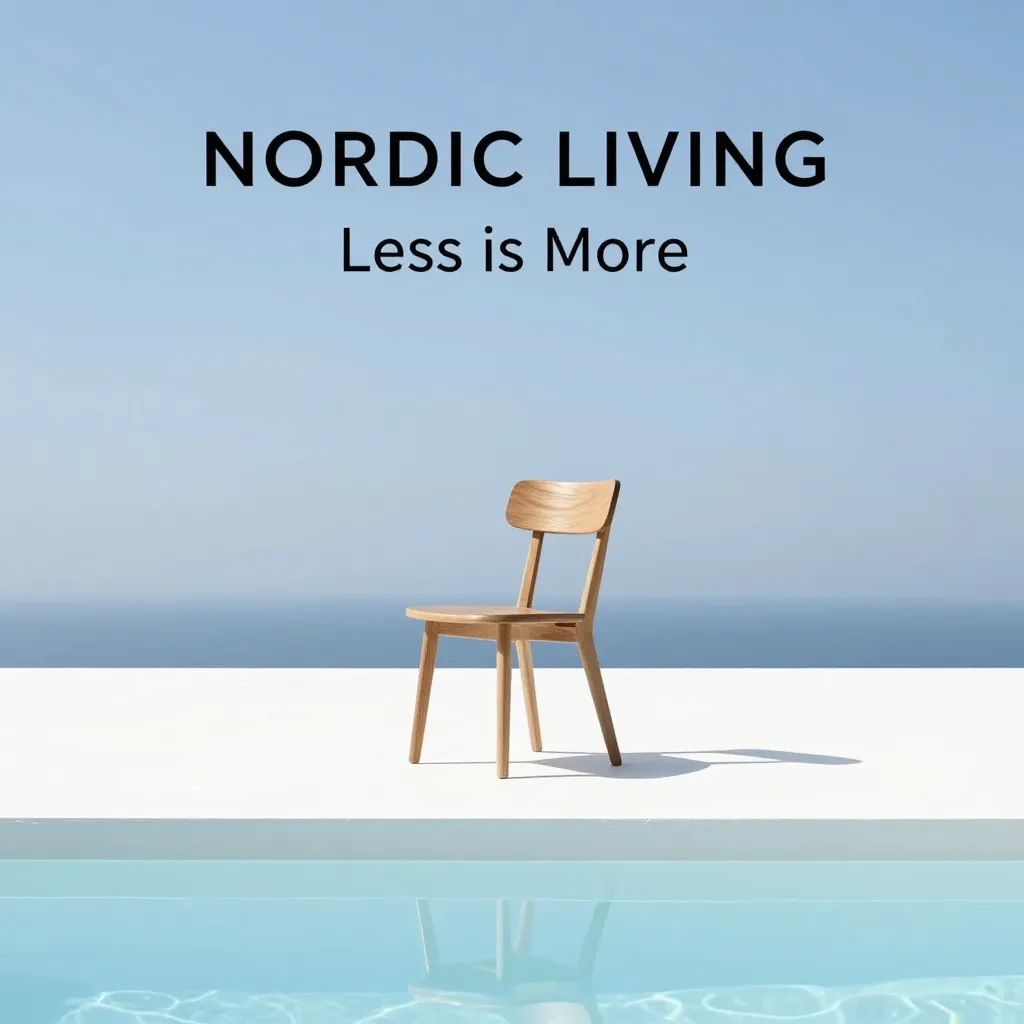
Product photo generator
Enter a product, background, lighting and colors to generate a product image.
Start creatingCreate product photos, portraits, and posters from a description. Upload an image to keep editing or enhance its detail.
Preview a look. Presets are free; only generation uses credits.
Generate product photos, portraits, posters, or social media images.
Enter a product, background, lighting and colors to generate a product image.
Start creating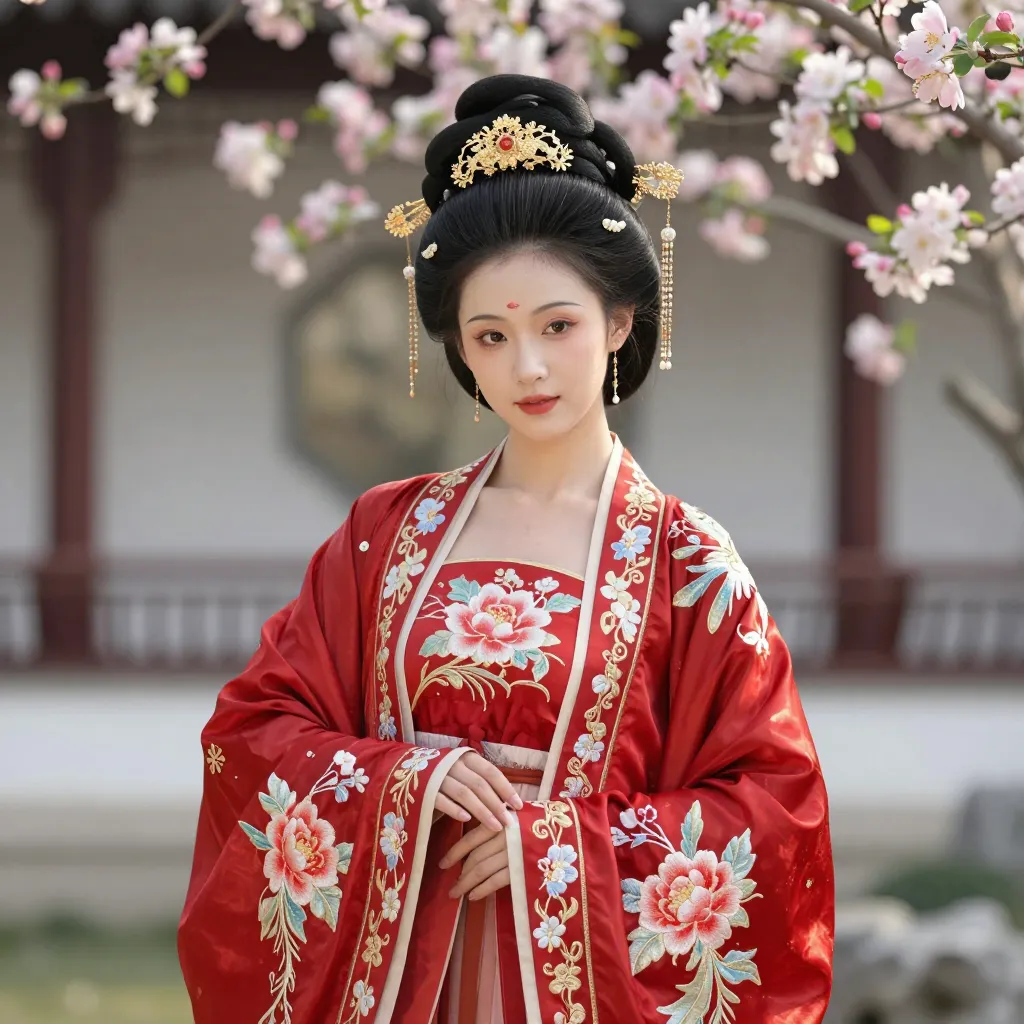
Describe an adult subject, clothing, setting and lighting to generate a portrait.
Start creating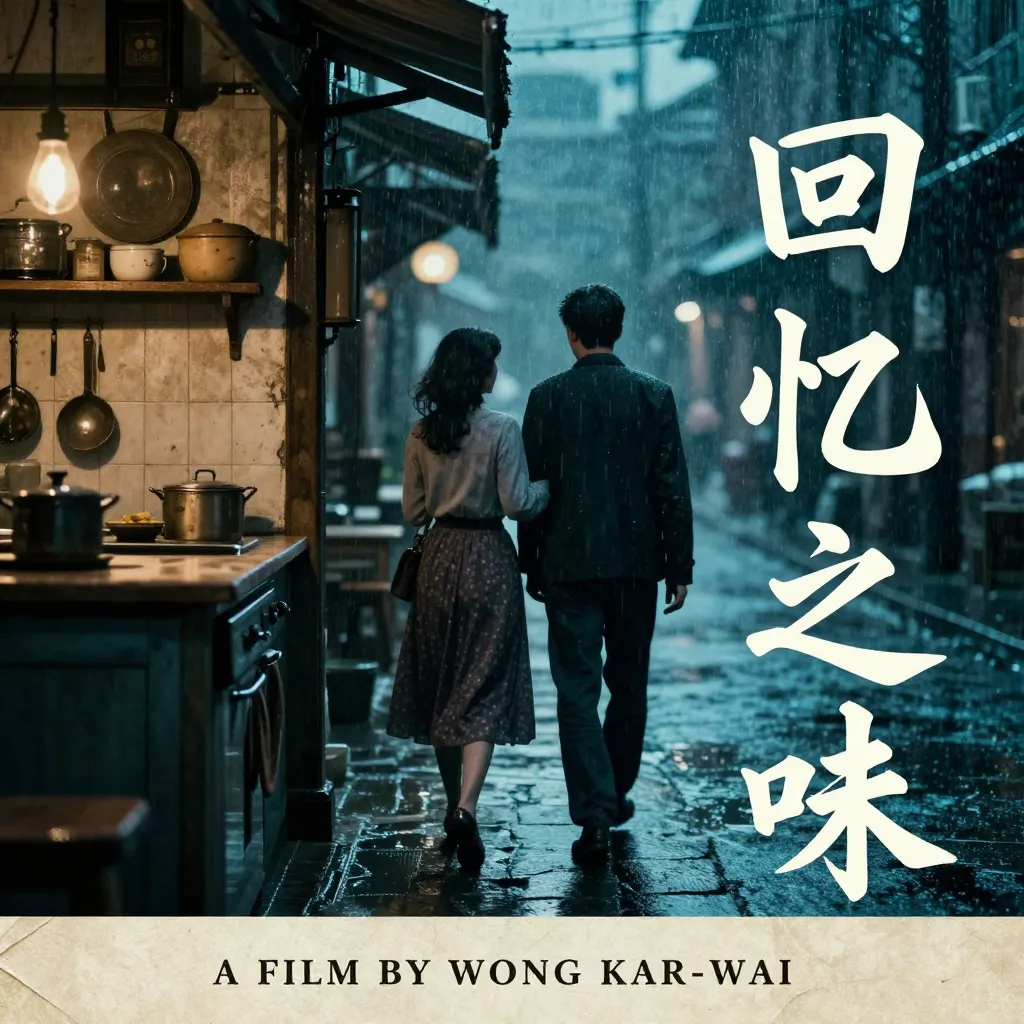
Enter a subject, headline, subtitle and colors to generate a poster.
Start creating
Choose a post, story or cover size, then enter the subject and text.
Start creatingA photogenic adult Korean Instagram-style girl, a natural mix of Y2K and Korean girl group casual wear, sitting on a plastic chair in a laundromat late at night waiting for clothes, she just finished a sip of ice water, head down suppressing a laugh, not looking at the camera at all. Photographer candidly shooting from between another row of washing machines and the chair back, 50mm natural perspective, parts of the body obscured by the chair back and glass door frame, reflection of the circular washing machine door overlapping with the figure, asymmetrical composition, figure positioned towards the bottom of the frame. Cold white fluorescent light, deep blue night colors, and a small amount of skin tone make up the entire scene, occasional CCD weak direct flash effect, slight overexposure at the edges, glass overlays, natural digital noise, and a portable camera instant feel, like a scene that actually happened in the early morning.
Cinematic ultra-close-up portrait of a young adult East Asian female martial artist, classic wuxia film atmosphere, face occupies the main subject of the frame, camera very close to the character, front view with slightly low angle, character looking directly into the lens, expression calm, restrained, firm, with a touch of cold detachment. Long and thick black hair blown by strong wind, hair strands messy across forehead, eyes and cheeks, hair scattering to both sides of the frame, creating a strong sense of dynamic movement. Exquisite but natural oriental facial features, slender eyebrows, dark bright eyes, pale pink lips, very light classic makeup, fair and delicate skin but retaining real soft texture. Wearing light gray-white ancient martial arts clothing, soft fabric, loose collar and sleeves, only a small amount of clothing details exposed, no emphasis on gorgeous patterns or accessories. A long sword passes diagonally from the bottom left of the frame to the right side of the foreground, the sword body is very close to the lens, so it is obviously out of focus, forming a blue-gray blurred foreground obstruction; the edge of the sword blade has a small amount of warm red reflection. The character's eyes remain relatively clear, and other areas of the face are slightly soft-focused. Night or dim environment, the background is almost completely dark, with only a small amount of blurred orange-red lights and cold blue rim light. The edges of the character's hair are outlined by blue moonlight and faint red backlight, cold and warm mixed cinematic lighting, strong atmosphere. 1990s Hong Kong martial arts film still, retro film photography, soft focus lens, slight hazy halo, low contrast, soft highlights, slightly overexposed skin tone, fine film grain, slight motion blur, dreamy but dangerous atmosphere, shallow depth of field, 85mm portrait lens, cinematic close-up, practical lighting, analog film texture, atmospheric, photorealistic
Ultra-realistic 4-view character design sheet of an 18-year-old young Asian woman, sweet, gentle, elegant, and naturally beautiful, combining Japanese/Korean girl aesthetics with light luxury fashion. 16:9 horizontal layout. Left: close-up portrait showing face, hairstyle, makeup, shoulders, and upper outfit. Right: three full-body views of the exact same character — front, side, and back. Keep the same face, hairstyle, outfit, makeup, and body proportions in every view. Tall and slender, 180 cm height, elongated 9-head fashion-model proportions, long legs, small oval face, soft jawline, large clear eyes, delicate nose, natural smile, fair realistic skin. light natural makeup with soft eye makeup, long lashes, and muted pink lips. Soft collarbone-length dark brown hair with airy layers, slightly inward-curled ends, light bangs, and a small pearl or bow hair clip on the right side. Outfit: cream-white cropped tweed jacket with round neckline, gold buttons and delicate brooch, light beige knit top, high-waisted beige pleated midi skirt, and off-white low-heel pumps. Refined minimal accessories. Clearly visible realistic materials: detailed tweed texture, natural pleated fabric drape, subtle leather shoes. Seamless light-gray studio background, 85mm lens, f/2.0, cinematic commercial studio lighting, soft key light, facial fill, rim light, hair light, natural luminous skin, clear hair strands, premium photorealistic finish.
Create a 3x3 hairstyle comparison contact sheet featuring the exact same adult East Asian woman in all 9 panels. STRICT IDENTITY CONSISTENCY: The woman must be exactly the same person in every panel, with identical facial identity, face shape, eyes, eyebrows, nose, lips, jawline, skin tone, ears, neck, body proportions, makeup, expression and age. Do not redesign or reinterpret her face between panels. Only the hairstyle is allowed to change. She has a delicate oval face, refined feminine facial features, fair natural skin, soft peach makeup, subtle eyeliner, natural pink glossy lips, and a gentle closed-mouth smile. She looks directly toward the camera. Keep exactly the same: - facial identity - head size and face proportions - camera angle - head position - facial expression - makeup - earrings - necklace - lavender off-shoulder dress - shoulder position - framing - lighting - background - photographic style Front-facing beauty portrait, upper chest and shoulders visible, centered composition, neutral light gray studio background, soft diffused studio lighting, realistic professional beauty photography, 85mm portrait lens, clean natural skin texture, high detail. Arrange the portraits into a clean 3x3 grid with thin white dividers. Add small black numbers 01–09 in the upper-left corner of each panel. HAIRSTYLES: 01 — short textured pixie cut, slightly tousled layered crown, long wispy side bangs, dark chocolate brown hair 02 — short layered bixie cut, ear-length, feathered ends, soft outward flipped layers around the ears, long side-swept bangs 03 — very short feminine pixie cut, cropped sides and back, textured short fringe, slightly messy top 04 — short curly bob, defined loose perm curls, voluminous crown, naturally tousled curly texture 05 — sleek asymmetrical short bob, deep side part, one side tucked behind the ear, smooth straight hair, long diagonal fringe 06 — rounded French bob, jaw-length, softly curved inward ends, airy wispy bangs across the forehead 07 — straight chin-length blunt bob, subtle center part, minimalist clean silhouette, ends slightly curved inward 08 — elegant side-parted short bob, smooth straight texture, chin-length, one side tucked behind the ear, polished salon styling 09 — voluminous short wavy bob, deep side part, large soft waves, lifted roots, glamorous natural volume IMPORTANT: Every panel must look like photographs taken of the same woman during one hairstyle consultation session. Hair length, shape, bangs, curls and volume may change, but her face must remain pixel-consistent and recognizable as the same individual. No changes to facial structure or identity.
Japanese dark-fantasy anime character poster, full-body tall slender character silhouette, strong dramatic backlight, one eye emitting a powerful colored glow with a subtle trailing light effect, huge luminous full moon behind the character, inside a large secondary portrait silhouette of the character, create a controlled double-exposure composition containing: misty forest, pine trees, distant mountains, night sky, keep the face and body structure clearly readable, only place the secondary exposure inside the portrait silhouette and selected dark hair/background areas, character-specific weapon, neon elemental energy flowing around the body, high-contrast cinematic lighting, black ink-brush texture at the bottom, minimal vertical Chinese typography, small sci-fi technique title, sharp anime silhouette, clean poster composition, high-saturation complementary glow colors, epic battle atmosphere, detailed 2D anime illustration,
an elegant adult woman with an extremely slender fashion-model silhouette, wearing a long flowing black couture gown, standing beneath dense pink cherry blossom branches at night, pale porcelain skin, long silver-black hair partially covering one eye, mysterious melancholic expression, delicate anime-inspired facial features, hand-drawn ink outlines mixed with luminous cyan and magenta thread-like strokes, black background, dark romantic atmosphere, editorial fashion illustration, intricate fabric folds, graceful elongated proportions, ethereal glow, high contrast, finely detailed linework, vertical composition
{ "prompt": "Cinematic high-fashion film still. Extreme top-down medium shot of an adult woman sitting on the edge of a skyscraper rooftop. She is centered in the frame and fills a large portion of the image. Her head is tilted upward, and she stares directly into the camera with intense eye contact. Faithfully preserve the hairstyle, clothing, and accessories from the reference image. The rooftop has rough concrete textures, exposed steel structures, and a gritty industrial atmosphere. The distant city far below is blurred, creating a dizzying sense of urban height and vertigo. Warm natural daylight, dramatic contrast, bright catchlights in her eyes, muted industrial color palette, subtle Kodak Portra 800 film grain. Sharp focus on the face and eyes, ultra-detailed, realistic cinematic editorial look.", "negative_prompt": "looking away, eyes closed, head down, wide shot, full-body distant shot, subject too small, off-center framing, hairstyle changed, outfit changed, accessories changed, blurry eyes, distorted face, deformed limbs, extra fingers, bad anatomy, low resolution, flat lighting, cartoon, illustration, CGI", "style": "cinematic editorial, analog film still, Kodak Portra 800", "camera": "Extreme top-down medium shot", "aspect_ratio": "3:4", "lighting": "Warm natural daylight with high contrast and catchlights" }
A precise 3D exploded rendering of a compact mechanical keyboard, showing keycaps, switches, metal plate, stabilizers, circuit board, foam layers, battery, and translucent case separated vertically in assembly order. Use an isometric three-quarter view, neutral light-gray background, soft studio lighting, realistic plastic, aluminum, and electronic materials, clean spacing between parts, no labels, and no physically impossible components.
A compact Japanese-modern living room in a city apartment, combining pale oak built-ins, warm white plaster walls, a low oatmeal sofa, woven floor lamp, small round table, and one carefully placed indoor tree. Daylight enters through sheer curtains and creates soft shadows. Use a wide but natural 24mm interior perspective, realistic room dimensions, uncluttered styling, visible material texture, and no luxury excess.
Architectural visualization of a contemporary public library in a tropical city. The building uses deep shaded terraces, perforated brick screens, cross-ventilated reading halls, planted courtyards, and a broad civic staircase facing a public plaza. Show the full building from pedestrian eye level during late afternoon, with realistic people for scale, warm interior lights, accurate structural logic, native landscaping, and restrained concrete, brick, and timber materials.
Create a seamless top-down 2D game tileset for a cozy forest area. Include grass, dirt paths, river edges, wooden bridge pieces, small stones, flowers, bushes, tree bases, and transition corners. Use crisp hand-painted pixel art at a consistent scale, clearly separated tiles on a transparent-style grid, no perspective mismatch, no characters, and a limited green-brown-blue palette suitable for a farming adventure game.
Create a consistent set of twelve outline icons for a travel guide: parking, restroom, accessible entrance, camera spot, food, temple, bus, train, walking route, rain shelter, information, and opening hours. Use rounded 2-pixel strokes, simple geometric construction, identical optical size, no fills, no text, and display the icons in a clean four-by-three grid on a white background.
Design a polished desktop analytics dashboard for a subscription SaaS product. The top bar reads \"Growth Overview\" and the interface includes revenue, active users, churn, conversion funnel, traffic-source chart, recent alerts, and a date filter labeled \"Last 30 days\". Use a light neutral canvas, dark text, emerald accent color, clear card hierarchy, realistic data, accessible contrast, consistent spacing, and no floating glass effects.
Create a square social-media launch graphic for an AI productivity app. The main text must read \"MEET FOCUSFLOW\" with the smaller line \"TURN NOTES INTO ACTION\". Show a clean abstract flow of cards transforming into checked tasks, using a dark charcoal background, emerald and soft violet accents, bold modern typography, strong center composition, safe margins for mobile cropping, and no device mockup.
Design a vertical concert poster for a modern jazz event. The headline must read \"MIDNIGHT JAZZ\" with \"SEPTEMBER 18 · 8 PM\" and \"RIVER HALL\" below it. Use an abstract saxophone silhouette formed from sweeping cream lines over a deep navy background, one red circle as a visual accent, strong typographic hierarchy, generous margins, subtle paper grain, and no additional text.
Create a coherent brand identity presentation for a premium Taiwanese tea brand named \"MIST PEAK\". Show a restrained wordmark, a mountain-and-tea-leaf emblem, ivory packaging, deep jade labels, copper foil details, a tea tin, pouch, business card, and small tasting menu. Arrange all items on a clean editorial board with consistent typography, realistic paper and metal materials, exact brand spelling, and no unrelated decorative text.
Design a simple vector logo for a specialty coffee brand named \"TRAIL CUP\". Combine the silhouette of a mountain path with the top view of a coffee cup in one compact geometric symbol. Use only dark forest green and warm cream, consistent stroke weight, strong negative space, no gradients, no mockup, and a clean horizontal lockup with the symbol on the left and the exact brand name on the right.
A compact matte-black manual coffee grinder placed beside a ceramic dripper, folded linen cloth, and a few roasted beans on a warm oak kitchen counter. Morning window light enters from the right and creates soft shadows that reveal the grinder’s knurled metal adjustment ring and powder-coated finish. Use a natural 50mm lifestyle composition, shallow but readable depth of field, warm neutral grading, and a tidy lived-in background.
High-end photorealistic 3:2 editorial close-up of a clearly adult Asian woman, fair luminous natural skin, subtle freckles, dark almond-shaped brown eyes, glossy coral-pink lips, warm coral makeup, long jet-black hair pulled back with one curved strand across her forehead and cheek. Colorful beaded earrings and a pastel yellow, mint, coral, blue and ivory crochet garment. One hand gently cradling her cheek. Soft high-key studio lighting, pale gray-white background, realistic skin, hair and textile texture, cinematic color grading, subtle film grain, ultra-HD beauty photography. No text, logos, watermark, CGI, plastic skin, or distorted hands.
Create one single photorealistic collage image in a 2×2 grid layout, containing exactly four photos of the same young Korean woman. She has long black hair with soft bangs and wears the same outfit in every frame: a cream top, dusty-blue cardigan, and navy pleated midi skirt. The setting is an outdoor café in natural daylight, with an iced coffee as a recurring prop. Each of the four panels shows a different cute candid pose: Top-left: holding iced coffee and winking. Top-right: blowing a kiss. Bottom-left: making a peace sign. Bottom-right: laughing naturally while holding iced coffee. Make all four panels look like realistic smartphone photos with a soft K-fashion aesthetic, natural lighting, high detail, and a candid lifestyle feel. The woman must have a consistent face, hairstyle, outfit, and overall appearance across all four panels. Important: this should be one single composite image only, with exactly 4 photos, no extra panels, no duplicated shots, no 6-photo layout, and no separate images.
A complete black-and-white manga page showing a young musician arriving at an empty railway station during a storm, one large establishing panel, several intimate reaction panels, close-up of a trembling hand holding a ticket, final silent panel of an approaching train, professional manga page composition, screentone shading, expressive ink lines, varied panel rhythm, cinematic sequential storytelling
portrait of an elegant adult woman in a sleeveless black dress, extremely long flowing hair covering part of her face, delicate pale features, melancholic gaze, pure black background, monochrome white ink drawing, ultra-fine pencil and pen linework, thousands of individual hair strands, subtle crosshatching, gothic manga fashion illustration, minimalist composition, haunting beauty, high contrast black and white, refined editorial sketch, graceful shoulders, vertical poster
Photorealistic edit using the input photo as a strict identity reference. Keep the same adult woman, preserving her face, facial features, skin tone, hairstyle, outfit, and accessories exactly as they are. Do not change identity, clothing, or hair. Only adjust the expression, slight head angle, gaze, subtle body language, and background. Expression: playfully shy and mildly embarrassed, as if her boyfriend is complimenting her or trying to film her and she is pretending to protest. She should look slightly annoyed on the surface, but sweet underneath. Use a side glance, a faint eyebrow lift, gently pressed lips or a small pout, and a restrained almost-smile. The mood should feel soft, cute, and affectionate, not truly angry or hostile. Body language: torso turned slightly away from the camera, shoulders subtly rotated as if avoiding being filmed, while her eyes glance back toward the camera. One hand is raised in a gentle “stop / don’t film me” gesture near the upper body, light and half-hearted, not aggressive. Style: clean soft studio realism, natural lighting, face in sharp focus, realistic skin texture, realistic hands, and natural proportions. Background: replace the original background with a solid pink seamless studio backdrop, with a subtle gradient if needed. Avoid: identity change, hair change, outfit change, aggressive expression, exaggerated cartoon or kawaii style, oversized smile, text, watermark, frame, extra fingers, or deformed limbs.
A photorealistic 3D concept rendering of a compact electric motorcycle designed for dense cities. It has an exposed aluminum frame, removable battery module, narrow LED headlamp, practical storage compartment, and weather-resistant matte body panels. Show a front three-quarter view on a dark studio floor, controlled rim lighting, accurate tire and suspension geometry, restrained cobalt accents, realistic reflections, and no brand logo.
Interior design visualization of a narrow neighborhood coffee shop inside a renovated brick storefront. Include a long walnut counter, brushed stainless equipment, terrazzo floor, dark green banquette, pendant lights, menu board, and small rear courtyard visible through glass doors. Use warm morning light mixed with practical lamps, realistic seating clearances, eye-level composition, tactile materials, and the menu title \"COFFEE & PASTRY\".
Design a small coastal art museum composed of three low concrete volumes arranged around a protected sculpture courtyard. Narrow openings frame ocean views while weather-resistant bronze panels mark the entrance. Present a clean exterior visualization under bright overcast light, using a 28mm architectural perspective, corrected vertical lines, believable drainage and access paths, sparse dune vegetation, and no impossible cantilevers.
Design an adult desert courier character for an adventure game. The character wears layered sand-colored travel clothing, a blue face scarf, lightweight armor plates, water canisters, a map case, and sturdy boots, carrying a compact wind-powered board. Show front, side, and back views plus three facial expressions and equipment callouts. Use clear functional design, believable materials, natural anatomy, and a neutral presentation background.
Create a game-ready set of sixteen fantasy RPG inventory items: iron sword, wooden shield, healing potion, mana vial, leather boots, compass, rope, lantern, spell book, crystal, bread, key, ring, pickaxe, herb bundle, and coin pouch. Use polished semi-realistic 2D rendering, consistent three-quarter view, uniform lighting from upper left, transparent background appearance, clear silhouettes, and no labels.
Design eight compact weather icons for a mobile application: sunny, partly cloudy, cloudy, light rain, heavy rain, thunderstorm, fog, and strong wind. Use flat vector shapes, a restrained blue-yellow-gray palette, consistent corner radius and shadow logic, clear recognition at 24 pixels, no outlines where unnecessary, and arrange them evenly on a pale neutral background.
Create a dark-mode desktop interface for an AI coding assistant. Show a file tree on the left, code editor in the center, and a narrow assistant panel on the right with the heading \"Explain this error\". Include realistic TypeScript code, one highlighted error line, a concise suggested fix, and buttons labeled \"Apply\" and \"Dismiss\". Use compact developer-focused spacing, restrained syntax colors, crisp typography, and believable window chrome.
Design a vertical social post announcing a seasonal restaurant dish. Use the exact headline \"SUMMER TOMATO PASTA\" and the line \"AVAILABLE THIS WEEK\". Feature a realistic overhead plate of spaghetti with roasted cherry tomatoes and basil, framed by a warm cream border, subtle red graphic shapes, elegant serif headline, small sans-serif details, clean spacing, and no price or extra text.
Create a high-energy vertical poster for a community night run. Use the exact headline \"RUN THE CITY\" and the details \"10K NIGHT RACE · OCT 12 · 19:30\". Show a simplified overhead street grid with one bright route line cutting diagonally through it, bold condensed typography, black background with fluorescent lime and white, clear registration information area, and no brand logos.
Design a complete visual identity board for an eco-friendly home-cleaning brand called \"CLEAR NEST\". Include a rounded wordmark, modular droplet-and-home icon, refill bottle labels, shipping box, reusable cloth packaging, website color swatches, and icon examples. Use cobalt blue, mint, white, and recycled kraft paper, clean sans-serif typography, accessible contrast, realistic mockups, and the exact tagline \"REFILL. REUSE. REPEAT.\".
Create a modern vector logo for a cybersecurity product called \"NOVA SHIELD\". Build an abstract shield from three interlocking data nodes and connecting lines, avoiding padlock clichés. Use a precise symmetrical construction, navy and electric cyan flat colors, no shadows or 3D effects, legible uppercase sans-serif lettering, and deliver the mark centered on a plain white background with generous clear space.
A close fashion-beauty portrait focused on an adult model wearing a sculptural silver ear cuff and matching collar necklace. Her hair is pulled back cleanly, makeup is minimal, and natural skin texture remains visible. Use a profile composition with a 100mm macro lens, a narrow soft light that traces the cheekbone and metal surfaces, pale gray background, controlled highlights, precise jewelry geometry, and refined monochromatic styling.
A modern white-and-cobalt running shoe suspended slightly above a textured gray studio floor, angled to show the outer side, sculpted midsole, breathable mesh, and rubber tread. Fine dust particles trail beneath it to suggest motion without hiding the product. Use a low three-quarter camera angle, crisp directional key light, controlled rim highlights, short shadow, clean commercial color contrast, and no visible brand mark.
Create an ultra-realistic, high-definition vertical 9:16 Y2K-inspired photo collage featuring the same beautiful adult woman consistently in all three panels. Cute, glamorous Japanese beauty with long, voluminous silky dark hair, natural glowing skin, soft fox-eye makeup, long lashes, glossy pink lips, and delicate feminine features. TOP PANEL- extreme close-up selfie, looking directly into the camera with one eye open and the other eye playfully winking, soft strands of hair framing her face. MIDDLE PANEL- glamorous over-the-shoulder pose, body turned away while she looks back at the camera, long voluminous hair flowing naturally and softly crossing part of her face. BOTTOM PANEL- intimate close-up very near the lens, long hair naturally covering one eye, subtle cute pout, dreamy confident expression. Pale neutral background, authentic early-2000s Y2K digital camera aesthetic, iPhone direct flash photography, bright flash highlights, slight natural overexposure, soft shadows, vintage digital grain, subtle motion softness, candid imperfect framing. No text, no watermark, no distortion, no warped face, no asymmetrical eyes, no duplicate features, no face variation, no blurry facial details.
adult East Asian woman, late-Showa to early-1990s Japanese summer photo-book photography, slender figure standing outdoors on an elevated location, body turned sideways, slightly leaning forward, looking back over her shoulder toward the camera, quiet, cool and slightly distant expression, short chin-length fluffy black bob, slightly flipped ends, wispy long bangs, hair strongly disturbed by summer wind, many loose strands flying naturally, delicate oval face, small refined facial features, very light natural makeup, fair translucent skin, visible natural skin texture, no commercial beauty retouching, simple lightweight white summer outfit, soft fabric with natural wrinkles, white athletic shorts, white ribbed knee-high socks, minimal accessories, deep vivid blue sky, huge bright white cumulus clouds, almost no city background, only a tiny strip of distant rooftops, strong summer afternoon sunlight, back-side lighting, subtle rim light around hair and shoulders, slightly overexposed white clothing, cool cyan-blue shadows, extremely low camera angle, camera below thigh level looking upward, 24–28mm wide-angle perspective, subject placed on right two-thirds, large negative space of sky on the left, strong near-large / far-small perspective, 1990s Japanese youth movie still, Japanese gravure photo book, analog color negative, soft focus, diffusion filter, halation, fine film grain, faded colors, Kodak-like skin tone, Fuji-like cool blue sky, slightly soft edges, scanned film texture, tiny dust imperfections, 35mm film, 24–28mm, f/2.8, 1/500s, cinematic still, nostalgic Japanese summer photography
A solitary girl in a red coat standing on an enormous white salt flat beneath a pale blue sky, one distant telephone pole, extremely minimal anime poster illustration, clean geometric composition, crisp fine outlines, flat restrained colors, huge negative space, subtle shadow beneath the character, quiet melancholic mood, sophisticated contemporary graphic design
an ethereal adult woman emerging from darkness, slender body wrapped in a black fitted evening dress, her body and hair traced with chaotic luminous threads of cyan, violet, pale yellow and pink, abstract scribble lines floating around her silhouette, black void background, ghostly pale face, hair covering one eye, fashion illustration fused with light painting, elegant gothic mood, mysterious and surreal, delicate line art, glowing filament texture, vertical composition
Ultra-detailed, photorealistic fashion portrait of a stunning woman in a high-end editorial style. She wears a deep white plunging V-neck evening gown adorned with delicate lace and subtle sequins, combining elegance and glamour. Her hair is styled in a refined low bun, enhancing her graceful neckline and sophisticated presence. Soft studio lighting illuminates her face and dress, while dramatic shadows add depth and visual tension. Clean light grey background, minimal and elegant. Hyperrealistic, crisp detail, luxurious texture, polished editorial aesthetic, 8K.
A charming 3D product render of a small plush cloud character with short legs, embroidered eyes, and a removable yellow raincoat. The toy stands on a pale blue seamless background with a soft contact shadow. Use gentle front lighting and subtle rim light, highly realistic fabric fibers, visible stitching, slightly uneven stuffing, accurate garment folds, centered composition, and no text.
A serene home study designed for focused writing, with a wall-to-wall walnut bookshelf, large desk facing a garden window, ergonomic chair, paper task lamp, closed storage, and one reading chair. Use muted olive, warm wood, and cream colors, soft afternoon light, realistic cables and desk accessories kept minimal, balanced symmetrical composition, and no decorative clutter or oversized room proportions.
Architectural concept for a terraced cooperative housing project on a steep hillside. Eight compact homes step with the terrain around shared gardens, laundry spaces, and a central pedestrian path, while retaining walls collect rainwater. Show an oblique aerial view that clearly explains circulation and topography, with realistic timber-and-concrete construction, solar shading, native plants, residents at natural scale, and soft morning light.
Create a character concept for an adult supernatural detective working in a modern East Asian city. She wears a dark trench coat, practical boots, red thread bracelets, and carries a compact camera, notebook, and folding paper charms. Present one full-body pose, two alternate outfits, hand-detail sketches, and a small color palette. Use grounded semi-realistic illustration, distinctive silhouette, restrained symbolism, and no sexualized design.
Design a modular 3D game environment kit for a compact science-fiction research corridor. Show wall panels, floor modules, ceiling lights, sliding door, ventilation unit, console, corner pieces, warning strip decals, and one damaged variant. Use realistic hard-surface modeling, consistent dimensions, neutral gray materials with orange accents, clean UV-ready surfaces, and an exploded presentation on a plain background.
Create a set of ten duotone vector icons for a cybersecurity dashboard: firewall, encrypted file, identity check, threat alert, device scan, secure cloud, access key, audit log, blocked request, and backup. Use navy base shapes with cyan secondary details, consistent 24-pixel grid, equal visual weight, simple corners, no text, and no generic padlock repeated across every icon.
Design three connected mobile screens for a local travel-planning app: destination home, walking itinerary, and attraction detail. Use the destination name \"Beigang Old Street\", a map route, opening-hours card, parking note, restroom icon, and a primary button labeled \"Start Walk\". Apply warm cream, temple red, and muted teal, rounded but not childish components, clear Traditional Chinese support, and realistic mobile spacing.
Create a square podcast episode cover titled \"BUILDING IN PUBLIC\" with the subtitle \"THE HONEST VERSION\". Show two simplified microphone forms connected by a visible waveform that becomes a progress chart. Use cobalt blue, black, and off-white, bold editorial typography readable at thumbnail size, high contrast, balanced negative space, and no portraits or platform logos.
Design an art-house film festival poster titled \"SMALL STORIES, WIDE SCREENS\". The subheading must read \"INDEPENDENT FILM WEEK · NOVEMBER 3–9\". Build the visual around a tiny illuminated apartment window floating inside a large dark field, using cinematic blue-black tones, one warm amber focal point, refined serif typography, large negative space, subtle print texture, and exact text rendering.
Develop a brand identity presentation for an indie game studio named \"LANTERN FOX\". Create a compact fox-tail lantern emblem, expressive but professional wordmark, dark navy base palette with amber highlights, social avatar, game-launch card, letterhead, and simple motion-frame storyboard. Keep the system consistent across applications, use flat graphic shapes with subtle print texture, and ensure all visible text is accurately spelled.
Design a friendly minimal logo for a pet-care service named \"PAW & BLOOM\". Merge a simple paw shape with two leaf forms so the symbol feels warm, trustworthy, and easy to recognize at small sizes. Use rounded vector geometry, muted coral and sage green, no gradients, no mascot face, and place the exact brand name beneath the icon in a soft but highly legible lowercase typeface.
An adult male fashion model standing at a tram stop in a layered streetwear outfit: charcoal bomber jacket, pale gray hoodie, straight black trousers, and clean low-profile sneakers. The location has wet pavement and restrained urban signage after rain. Use a full-body 35mm composition with subtle perspective, cool overcast light, one warm practical light behind him, realistic textile texture, relaxed posture, and no oversized logos.
A frosted glass skincare serum bottle with a matte white dropper, standing on a pale limestone platform beside a shallow pool of water and two translucent leaves. The label must read \"LUMEN\" and below it \"HYDRATING SERUM\" in clean black sans-serif type. Use soft diffused daylight from the upper left, delicate water reflections, realistic glass thickness, subtle shadows, and a bright minimal beauty-advertising composition.
candid iPhone 16 Pro rear-camera photography, not a selfie, adult East Asian woman standing in a quiet garden, a very large pink gradient flower extremely close to the lens, strong foreground blur, flower partially blocks the lower body, the curved petals visually resemble a short ballet skirt, creating a surreal forced-perspective illusion, focus remains on the woman behind the flower, long reddish-brown straight hair, airy bangs, small delicate face, natural skin texture, soft pink lips, eyes closed, head slightly lowered, cheeks gently puffed, hands clasped softly near the chest, quiet shy dreamy expression, white floral spaghetti-strap summer top, minimal accessories, afternoon garden, trees and wooden fence, sunlight filtered through leaves, soft patches of light and shadow, very shallow depth of field, foreground heavily blurred, subject relatively sharp, imperfect spontaneous composition, 1990s CCD snapshot, low-resolution point-and-shoot feeling, subtle light leaks, fine film grain, low saturation, soft focus, slight motion blur, dreamcore mood, quiet loneliness, romantic nostalgia, 35mm equivalent lens, f/1.8, soft backlight, natural skin texture,
a candid Japanese film photography portrait of a beautiful adult East Asian woman standing in a field of blooming white flowers on a bright summer day, her body facing mostly away from the camera, back turned toward the viewer, slightly twisting her upper body and head back to look toward the camera over her shoulder, extremely long straight black hair flowing naturally in the wind, loose strands crossing her face, delicate facial features, pale luminous skin, subtle natural makeup, soft peach lips, quiet dreamy expression, wearing a fitted white short-sleeve cropped top, blue plaid mini skirt, and white knitted knee-high socks, youthful early-2000s Japanese summer styling, dramatic low-angle composition shot from near ground level, the camera looking upward, full-body to three-quarter body framing, asymmetrical composition, her legs extending diagonally through the frame, large areas of pale blue sky behind her upper body and hair, dense white flowers and green foliage surrounding her, a large white flower cluster extremely close to the lens on the right side of the frame, heavily out of focus, partially obscuring the subject and creating a soft dreamy foreground veil, strong foreground occlusion, layered depth, hazy and intimate atmosphere, bright natural daylight, slightly overexposed skin, cool soft blue tones, muted greens, luminous whites, gentle bloom, soft contrast, dreamy haze, soft focus, slightly diffused highlights, subtle film grain, late 1990s to early 2000s Japanese point-and-shoot film aesthetic, 35mm consumer film, soft optical rendering, slight missed focus, faded colors, low contrast, delicate halation, scanned analog photo texture, nostalgic, ethereal, photorealistic
An elegant woman in a flowing black dress standing beneath an enormous cherry tree at midnight, pale face partially hidden by silver hair, thousands of pink petals suspended against a pure black sky, sophisticated dark romantic anime illustration, ultra-fine linework, delicate luminous contours, black, ivory and dusty rose palette, haunting beauty, graceful elongated silhouette, luxurious vertical composition
mysterious adult woman standing beneath an enormous cherry blossom tree at midnight, black sleeveless gown, pale porcelain face, short silver-blonde hair sweeping across her eyes, branches overflowing with pale pink flowers, deep black negative space, subtle crimson eyes, fine ink contour lines, faint iridescent highlights along her dress and hair, dark Japanese romanticism, gothic anime editorial illustration, dreamy but unsettling, highly intricate flowers, elegant elongated silhouette
A high-end 3D material study of a faceted clear-glass perfume bottle filled with pale amber liquid, topped with a brushed brass cap. Place it on a glossy black pedestal with a large curved light source reflected across the glass. Use physically plausible refraction, realistic liquid level, sharp but controlled highlights, close three-quarter composition, dark neutral background, and a small label reading \"NO. 07\".
A refined boutique-hotel bathroom with honed travertine walls, floating oak vanity, oval mirror, brushed nickel fixtures, walk-in rainfall shower, ribbed-glass divider, and a narrow skylight above a small indoor plant. Use soft natural daylight with warm indirect lighting, realistic water-resistant detailing, accurate reflections, comfortable human scale, calm neutral palette, and a clean three-quarter interior composition.
Adaptive-reuse architecture visualization of a century-old brick warehouse converted into a community food market. Preserve the original steel trusses, tall windows, and weathered brick walls while adding lightweight timber stalls, mezzanine seating, accessible ramps, and a planted entrance canopy. Show an interior-exterior cutaway perspective during daytime, realistic crowds, clear circulation, warm material contrast, and visible respect for the historic structure.
Design a small friendly robot companion for a children’s animated series. The robot has a rounded rectangular body, flexible arms, two wheel-feet, a simple expressive face screen, and a fold-out tool drawer. Show front, side, back, six expressions, and three action poses. Use soft geometric forms, teal and warm yellow colors, safe rounded construction, easy-to-animate joints, and a clean model-sheet layout.
Create a cohesive 2D asset sheet for a casual match puzzle game with six glossy fruit tiles, score stars, coin, booster hammer, shuffle icon, progress bar, level badge, and three button states. Use rounded vector-like rendering, bright but controlled colors, consistent soft highlights, readable silhouettes at small sizes, no text except the number \"25\" on the level badge, and a clean grid layout.
Design twelve friendly filled icons for restaurant menu categories: noodles, rice, soup, seafood, meat, vegetables, dessert, coffee, tea, spicy, vegetarian, and takeaway. Use rounded silhouettes, warm red and cream colors with one dark outline tone, consistent visual scale, minimal internal detail, clear recognition at small sizes, and arrange them on a clean square presentation sheet.
Design a calm responsive web interface for booking a clinic appointment. The page title reads \"Book an Appointment\" and includes specialty selection, doctor cards, calendar, available time slots, insurance field, and a summary panel. Use white, soft blue, and charcoal, clear form labels, accessible focus states, obvious selected states, professional photography used sparingly, and a prominent button labeled \"Confirm Booking\".
Design the first slide of a travel carousel about a historic district. The exact headline is \"A MORNING IN BEIGANG\" and the smaller line is \"FOOD, TEMPLES, AND OLD STREETS\". Combine a realistic street photograph with a warm red editorial frame, small map-pin motif, large readable cream typography, careful mobile-safe margins, and a clear visual invitation to swipe without adding an arrow or extra text.
Create a museum exhibition poster with the exact title \"THE SHAPE OF WATER\" and subtitle \"CLIMATE, CITIES, AND THE FUTURE\". Use layered translucent contour lines resembling both topographic maps and ocean waves, transitioning from pale cyan to deep blue. Apply a strict modern grid, left-aligned typography, small date line \"JUL 20 — DEC 15\", clean institutional design, and no photographic imagery.
Create a calm, contemporary brand identity board for a dental clinic named \"ARC DENTAL\". Use an abstract curved smile symbol built from two precise arcs, a clean wordmark, appointment card, clinic signage, staff badge, treatment folder, and mobile booking screen. Choose soft blue, warm white, and charcoal, avoid tooth icons, maintain clinical readability, and include the exact line \"MODERN CARE, CLEARLY DELIVERED\".
An adult woman walking along a quiet beach in a sleeveless navy midi dress with a high neckline, defined waist, and lightweight pleated skirt moving in the sea breeze. Her posture is natural and the clothing remains modest with no visible cleavage. Photograph her from a three-quarter angle at golden hour using an 85mm lens, warm backlight, soft facial fill, detailed fabric motion, clean horizon, and elegant resort-editorial color grading.
A premium stainless-steel mechanical wristwatch with a deep navy dial, brushed bracelet, polished bezel, and clearly separated hour markers, displayed on a dark slate block. Use a three-quarter macro product angle that reveals both the dial and case thickness. Create narrow controlled highlights along the metal edges with a soft overhead strip light and subtle rim light, keeping the background nearly black, the watch face legible, and all reflections clean.
A lively Taiwanese night-market entrance after sunset, with food stalls, scooters parked at the edge, steam rising from cooking pots, and visitors moving through the lane. The main illuminated sign must read \"幸福夜市\" with the smaller English subtitle \"HAPPINESS NIGHT MARKET\" directly below it. Use a street-level wide composition, realistic mixed neon and fluorescent lighting, wet pavement reflections, accurate Chinese characters, and natural crowd spacing.
Create a bold monoline logo for an urban bicycle community called \"CITY LOOP\". Form the letters C and L from a continuous route line that also suggests two bicycle wheels. Use black and safety yellow only, balanced circular geometry, consistent line endings, no texture, no photographic mockup, and show a primary stacked lockup plus a small standalone symbol on a plain light background.
a candid Japanese film photography portrait of a beautiful adult East Asian woman crouching among dense white lilies and dark green foliage, long straight silky black hair flowing naturally over her shoulders, delicate facial features, pale luminous skin, subtle natural makeup, soft peach lips, gentle dreamy gaze looking toward the camera, wearing a simple white spaghetti-strap cropped camisole, blue plaid mini skirt, white knee-high socks with a faded retro orange letter print, casual youthful summer styling, intimate close-up composition, body partially cropped by the frame, bent knees in the foreground, slightly tilted camera angle, asymmetrical framing, face positioned near the upper-left side of the image, large white flowers surrounding her, several flowers extremely close to the lens and heavily out of focus, strong foreground occlusion, layered depth, shot at night in a lush flower garden, harsh direct on-camera flash illuminating the subject against a very dark background, slightly overexposed pale skin, bright flash highlights, deep green-black shadows, muted green color cast, cool white flowers, soft warm skin tones, late 1990s to early 2000s Japanese point-and-shoot camera aesthetic, 35mm consumer film, disposable camera look, dreamy soft focus, slightly missed focus, low contrast, faded colors, subtle film grain, halation, flash bloom, milky highlights, optical softness, slight motion softness, imperfect exposure, nostalgic scanned-photo texture, unretouched analog snapshot, atmospheric and intimate, photorealistic
Use my uploaded photo as the face reference. Preserve my facial features, face shape, eyes, nose, lips, skin tone, and overall identity with very high accuracy. Maintain strong facial consistency while enhancing the image with professional ultra-realistic photography quality. Create an ultra-realistic vertical portrait (9:16) of a beautiful young Asian woman standing in front of a cute crepes stand at a dreamy amusement park. The background features a softly blurred Japanese-Korean style amusement park with colorful lights, charming attractions, and a romantic atmosphere. The crepe stand is adorable and aesthetic, dominated by pastel red and pink colors, decorated with cute crepe displays, ribbons, heart details, menu boards, flowers, and sweet dessert-themed decorations. Pose: standing in front of the crepes stand while taking a small bite of a delicious strawberry crepe. Head slightly tilted, eyes looking softly toward the camera, gentle smile, smooth and elegant Japanese-style expression, relaxed posture, natural hand placement holding the crepe delicately. Cute, feminine, and photogenic. Hair: long silky black hair, slightly wavy, soft bangs framing the face, smooth texture, gently blown by a light breeze. Makeup: luxury Korean-Douyin makeup, flawless porcelain skin, radiant glass-skin effect, luminous glow, soft contouring, rosy-red blush across cheeks and nose bridge, long curled eyelashes, subtle shimmer eyeshadow, sparkling brown contact lenses, bright eyes with catchlights, ombre red-to-pink glossy lips, youthful and dreamy beauty aesthetic. Outfit: adorable Y2K-inspired fashion, peach-colored dress with delicate ribbon accents, mint mini skirt layered stylishly underneath, white sneakers, cute silver accessories, dainty necklace, subtle bracelets, youthful and fashionable Korean-Japanese street style. Atmosphere: sweet, romantic, cheerful, kawaii aesthetic, Japanese drama and Korean romance movie vibes, pastel color palette, soft sunlight, dreamy bokeh lights, cinematic depth of field, luxury lifestyle photography, highly detailed crepe textures, whimsical amusement park scenery, ultra-realistic skin details, professional fashion photography, masterpiece quality, magical and heartwarming mood. Quality: ultra-realistic, photorealistic, HDR, 8K, extremely detailed, sharp focus on subject, soft natural lighting, creamy background blur, cinematic composition, premium beauty photography, trending Korean-Japanese aesthetic. Setting: an adorable Harajuku-inspired crepe stand in a whimsical amusement park, decorated with giant fake strawberries, pastel bows, heart balloons, candy details, cute mascot characters, pink neon signs, fluffy clouds, colorful flowers, and beautifully displayed crepes overflowing with whipped cream and fruits. The stand is dominated by pink, cherry red, cream white, and pastel colors, creating a magical fairytale dessert-shop aesthetic. Soft sunlight, dreamy bokeh, and cinematic depth of field make the scene feel like a romantic Japanese drama.
A steaming bowl of ramen placed on a wooden counter in a tiny late-night noodle shop, chef working softly out of focus behind it, slices of pork, egg and scallions rendered with irresistible detail, warm lantern light, cozy anime food illustration, hand-painted textures, expressive steam, rich but natural colors, intimate composition, nostalgic midnight atmosphere
full-body adult female fashion figure drawn almost entirely from thin white luminous lines, standing against a deep black background, tangled energetic scribbles forming her hair and body, elegant black dress barely visible underneath, one subtle red eye glowing through the strands, abstract gestural drawing, experimental couture illustration, spectral and weightless, extremely fine filament lines, controlled chaos, minimalist dark composition, avant-garde fashion poster
Create a full-body concept design for an elderly fantasy gatekeeper who protects a mountain archive. He wears layered charcoal robes reinforced with bronze plates, carries a long key staff, and has a weathered satchel filled with scroll seals. Show a calm standing pose, close-ups of the staff and belt objects, fabric notes, and a muted color palette. Keep the design practical, dignified, and anatomically believable.
An editorial fashion photograph of an adult model wearing a structured cream wool coat with asymmetric lapels, wide tailored trousers, and black leather ankle boots. The model stands against a raw concrete wall with a composed neutral expression and both hands clearly visible. Use a full-body vertical frame, slightly low 50mm perspective, hard side light creating a clean geometric shadow, muted palette, realistic fabric construction, and understated magazine styling.
A quiet pottery studio workbench covered with clay tools, trimming scraps, two unfinished cups, and a freshly thrown bowl resting on a wooden bat. Late-afternoon side light enters through a dusty window and reveals fingerprints, damp clay texture, and fine particles in the air. Compose the image as an intimate tabletop still life with a 50mm lens, medium depth of field, earthy neutral colors, and no people in frame.
Create image: A candid disposable-camera snapshot of the same subject in the attached image. The subject is standing beside a rooftop pool during bright daytime, body turned sideways toward the water while looking back over one shoulder toward the lens with a soft playful smile. One arm lifted casually holding a tall cocktail glass while the other hand rests loosely near the upper arm. Long dark hair moving lightly from a breeze with strands lifting across the cheek and shoulder. Captured mid-motion like someone quickly snapped the photo while she turned around. Shot very close to the lens. Outfit: brown paisley-print top with matching bottoms, delicate silver rings, soft glossy lips, long dark hair with natural movement. Makeup: simple clean girl makeup, warm skin with realistic texture, soft lashes, glossy lips, subtle natural highlight. Camera style: shot on a real late-1990s disposable camera, harsh built-in direct flash even in bright sunlight, intense hotspot across face, shoulder and upper arm, oily skin shine, heavy flash falloff, visible 35mm grain, cheap plastic lens softness, washed blacks, smeared edges, amateur candid disposable-camera rendering. Background: rooftop pool with shimmering turquoise water, pale concrete deck, bright blue sky, city buildings and lounge chairs behind. Strong daylight but slightly washed and compressed like a printed disposable-camera photo. ACCIDENTAL SHOT / IMPERFECT FRAMING: As if accidentally photographed by hand during movement. C
A schoolgirl standing motionless at the end of an impossibly long apartment corridor, every doorway slightly open, strands of black hair creeping across the ceiling like roots, monochrome psychological horror manga, obsessive pen-and-ink detail, unsettling perspective distortion, dense crosshatching, extreme black shadows, tiny white highlights in the eyes, quiet dread rather than gore
full-body adult woman with very long platinum-blonde hair blowing sideways, wearing a minimal black mini dress, sheer patterned stockings and elegant black heels, tall slender fashion proportions, white paper background, delicate graphite and colored-pencil sketch, loose chaotic construction lines surrounding the figure, editorial fashion drawing, Japanese manga influence, unfinished sketchbook aesthetic, fine hair detail, subtle muted blue and yellow pencil accents, sophisticated and melancholic
A soft, natural light portrait photograph captures a beautiful young Korean woman embodying springtime cheerfulness. She stands slightly off-center, her gentle smile radiating warmth as she wears a crisp white blouse with delicate lace detailing and a vibrant red and white gingham mini skirt tied with a playful bow, accessorized with a small beige crossbody bag and dainty gold jewelry, her glossy lips and dewy skin highlighted by soft, elegant makeup. Behind her, a rustic wooden counter displays "freshly baked pastries" amongst potted ferns and casually stacked art books, the café's warm, neutral color palette softly illuminated by gentle sunlight streaming through a nearby window, creating a shallow depth of field and cozy atmosphere. The scene is framed with a slightly blurred background and diffused glow, enhancing the feeling of effortless style and gentle joy.
A clean near-future agricultural research laboratory where scientists inspect compact vertical farms containing lettuce, herbs, and strawberries. Transparent irrigation tubes, soil sensors, and a wall display show believable growth data without excessive science-fiction decoration. Use a wide eye-level composition, soft overhead lighting balanced by green plant light, realistic stainless steel and glass materials, clear spatial depth, and legible screen text reading \"URBAN CROP LAB\".
A close fashion-beauty portrait focused on an adult model wearing a sculptural silver ear cuff and matching collar necklace. Her hair is pulled back cleanly, makeup is minimal, and natural skin texture remains visible. Use a profile composition with a 100mm macro lens, a narrow soft light that traces the cheekbone and metal surfaces, pale gray background, controlled highlights, precise jewelry geometry, and refined monochromatic styling.
Generate an image, adjust its prompt, reference image or format, then save the result.
Build the first direction
Use it as a reference
Control how much changes
Adapt the composition
Export without charge
Replace a background while keeping the subject in the scene.
3 credits
Start creatingRead guides on prompts, ComfyUI and LoRA training.
Create product photos, portraits, and posters from a description. Upload an image to keep editing or enhance its detail.
Preparing prompts is free. Generation uses the credits shown on the button. Failed processing tasks return their credits; downloading a saved image is free.
Check small text, faces and product details before publishing. Generated concepts may differ from real products or people.
Pricing